
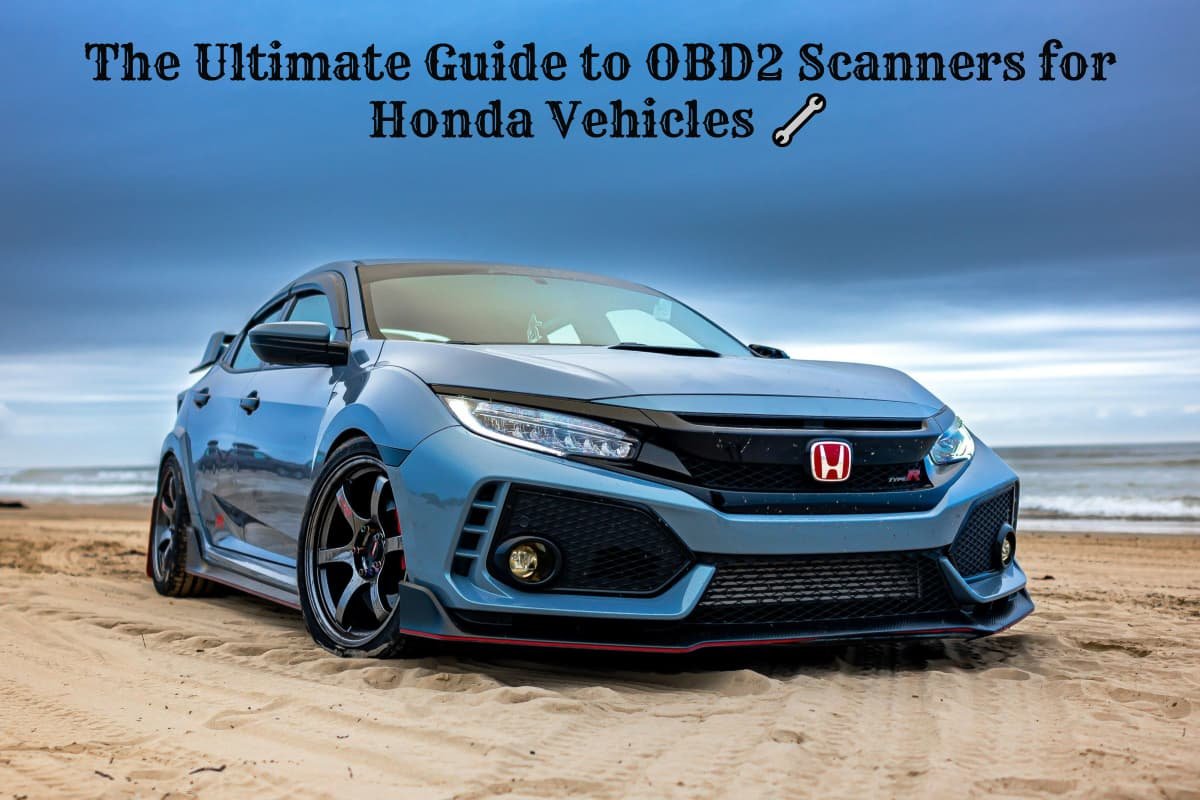
Save Money and Diagnose Issues Like a Pro
When that dreaded check engine light illuminates your Honda’s dashboard, you have two choices: rush to an expensive mechanic or take control with your own OBD2 scanner. Smart Honda owners are choosing the latter, saving hundreds of dollars while gaining valuable insight into their vehicle’s health.
Honda vehicles have earned their reputation for reliability and longevity, but even the most dependable cars occasionally trigger diagnostic trouble codes. An OBD-II scanner can point you in the right direction—and potentially save you a bundle when dealing with these issues.
Understanding OBD2 Systems in Honda Vehicles 🚗
What is OBD2 and Why It Matters
OBD2 (On-Board Diagnostics II) is a standardized system that monitors your Honda’s engine performance, emissions, and various subsystems. In most passenger vehicles, an OBD2 port is easily located and accessed on the driver’s side of the car on the underside of the dashboard.
All Honda vehicles manufactured from 1996 onward come equipped with OBD2 ports, making them compatible with universal diagnostic scanners. However, Honda-specific scanners can access manufacturer-exclusive codes and advanced functions that generic tools might miss.
Locating Your Honda’s OBD2 Port
The OBD2 port in Honda vehicles is typically located:
- Under the dashboard on the driver’s side
- Near the steering column
- Sometimes behind a small plastic cover
For older Honda models (1980-1995), you’ll find OBD1 systems that require different diagnostic procedures or specialized adapters.
Why Every Honda Owner Needs an OBD2 Scanner 💡
The Financial Benefits
Professional diagnostic scans at dealerships or repair shops can cost $100-200 per visit. With your own scanner, you’ll:
- Save money on unnecessary diagnostic fees
- Avoid overcharging by understanding the actual problem
- Prevent major repairs through early detection
- Maintain warranty compliance with proper documentation
Beyond Basic Code Reading
Modern OBD2 scanners offer much more than simple error code retrieval:
- Real-time engine data monitoring
- Emissions readiness testing
- Performance parameter tracking
- Maintenance reminder resets
- ABS and airbag system diagnostics
Essential Features for Honda OBD2 Scanners ⚙️
Compatibility Requirements
When selecting an OBD2 scanner for your Honda, ensure it supports:
- Honda-specific codes: Manufacturer DTCs beyond generic P-codes
- Multi-system access: Engine, transmission, ABS, SRS, and TPMS
- Live data streaming: Real-time parameter monitoring
- Bi-directional control: Active testing capabilities (advanced models)
Software and Updates
Innova OBD2 scanners are a top choice for Honda owners seeking reliable and user-friendly diagnostic tools because they offer regular software updates. Look for scanners that provide:
- Free lifetime updates (preferred)
- Annual update subscriptions
- Expandable vehicle coverage
- Mobile app compatibility
Top Professional-Grade OBD2 Scanners for Honda
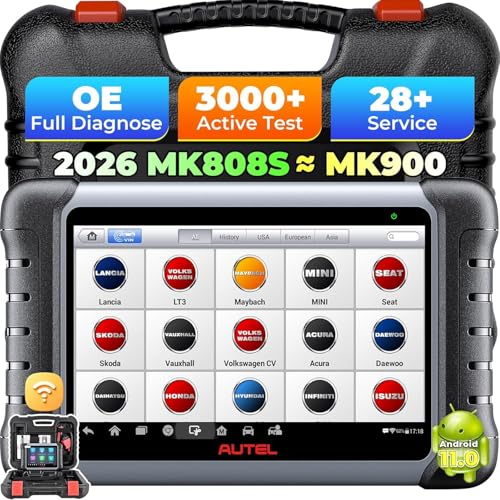
Autel MaxiCOM MK808 Professional Diagnostic Scanner
The Autel MaxiCOM MK808 represents the gold standard for Honda diagnostics, offering comprehensive system coverage that rivals dealer-level equipment. This professional-grade scanner provides full access to Honda’s electronic control units, including advanced functions like key programming and special service resets.
17/06/2026 5:44 pm
✅ Pros:
- Complete Honda system coverage (engine, transmission, ABS, SRS, TPMS)
- Bi-directional control for active testing
- Large 7-inch touchscreen interface
- Regular free software updates
❌ Cons:
- Higher price point than basic scanners
- Learning curve for advanced features
- Requires periodic software updates for newer models
Key Features:
- Full OBD2 and manufacturer-specific diagnostics
- Oil reset, EPB, SAS, DPF, and TPMS functions
- Live data graphing and recording
- Print and email diagnostic reports
- Android-based operating system
Best for: Professional mechanics, serious DIY enthusiasts, and Honda owners with multiple vehicles who want comprehensive diagnostic capabilities.
Limitations: May be overkill for basic code reading needs; requires familiarity with automotive systems for full utilization.
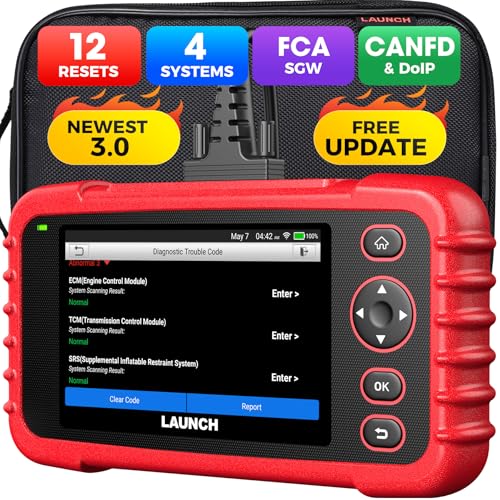
Launch CRP129X OBD2 Scanner for Honda Diagnostics
The Launch CRP129X strikes an excellent balance between professional capability and user-friendly operation. Specifically optimized for Honda vehicles, this scanner offers extensive system coverage while remaining accessible to non-professional users.
17/06/2026 5:44 pm
✅ Pros:
- Excellent Honda-specific code coverage
- Four main system diagnostics (Engine, ABS, SRS, Transmission)
- Intuitive menu system and clear display
- Lifetime free software updates
❌ Cons:
- Limited bi-directional control functions
- Smaller screen than tablet-style scanners
- No wireless connectivity options
Key Features:
- Honda manufacturer-specific codes and data
- Oil reset and EPB service functions
- AutoVIN technology for automatic vehicle identification
- Battery test functionality
- Compact, portable design
Best for: Honda owners who want comprehensive diagnostics without the complexity of professional tools; ideal for DIY maintenance and troubleshooting.
Limitations: Advanced users may find some professional features missing; not suitable for heavy commercial use.
Understanding Honda Check Engine Light Codes 🚨
Common Honda Trouble Codes
Honda vehicles commonly display these diagnostic trouble codes:
P0420: Catalyst System Efficiency Below Threshold
- Often indicates catalytic converter issues
- May be caused by oxygen sensor problems
P0171/P0174: System Too Lean
- Air/fuel mixture imbalance
- Could indicate vacuum leaks or fuel system issues
P0300-P0304: Engine Misfire Codes
- Ignition system problems
- Possible spark plug or coil issues
When to Take Action
If your check engine light is flashing, stop driving your Honda and have it towed to your nearest mechanic – a blinking check engine light means you probably have a very serious problem with your car and you risk ruining your engine by driving it.
Steady Check Engine Light:
- Schedule diagnosis within a few days
- Monitor for performance changes
- Safe to drive short distances
Flashing Check Engine Light:
- Stop driving immediately
- Indicates severe engine damage risk
- Requires immediate professional attention
Choosing the Right Scanner for Your Needs 🎯
Budget-Conscious Honda Owners
For basic code reading and clearing:
- Look for scanners under $100
- Ensure Honda manufacturer code support
- Prioritize ease of use over advanced features
Serious DIY Enthusiasts
For comprehensive diagnostics:
- Invest in $200-500 range scanners
- Seek bi-directional control capabilities
- Consider tablet-style interfaces for better usability
Professional or Multi-Vehicle Use
For maximum capability:
- Professional-grade scanners ($500+)
- Subscription-based software updates
- Advanced programming and coding functions
Maximizing Your OBD2 Scanner Investment 📈
Best Practices for Honda Diagnostics
Before Scanning:
- Ensure stable battery voltage (engine running or charger connected)
- Allow engine to reach operating temperature
- Clear any aftermarket modifications that might interfere
During Scanning:
- Record all codes before clearing
- Capture freeze frame data
- Note any pending or permanent codes
After Scanning:
- Research codes using manufacturer resources
- Check for technical service bulletins (TSBs)
- Document repairs for future reference
Maintenance Integration
Use your OBD2 scanner for routine maintenance:
- Monitor oxygen sensor performance
- Track fuel trim values
- Verify emissions readiness before inspections
- Reset maintenance indicators after service
Advanced Honda Diagnostic Techniques 🔍
Live Data Monitoring
Professional scanners allow real-time monitoring of critical parameters:
- Engine RPM and Load: Identify performance issues
- Fuel Trim Values: Detect air/fuel mixture problems
- Oxygen Sensor Readings: Monitor catalytic converter efficiency
- Coolant Temperature: Prevent overheating damage
Special Functions for Honda
Advanced scanners offer Honda-specific services:
- Oil Life Reset: After oil changes
- TPMS Programming: When replacing tire sensors
- Throttle Body Adaptation: After cleaning or replacement
- Immobilizer Programming: For key replacement
Troubleshooting Common Scanner Issues 🛠️
Connection Problems
If your scanner won’t connect:
- Verify OBD2 port location and cleanliness
- Check for blown fuses (typically 10A OBD fuse)
- Ensure ignition is on but engine not running
- Try different connection angles
Incomplete Code Retrieval
When scanners miss codes:
- Allow system monitors to complete
- Drive through complete drive cycle
- Check for pending codes in addition to stored codes
- Verify scanner compatibility with your Honda model year
The Future of Honda Diagnostics 🔮
Emerging Technologies
Modern Honda vehicles incorporate increasingly sophisticated diagnostic systems:
- Remote diagnostics through HondaLink connectivity
- Predictive maintenance alerts
- Advanced driver assistance system (ADAS) diagnostics
- Hybrid and electric system monitoring
Preparing for Tomorrow
As Honda continues advancing vehicle technology, ensure your diagnostic tools evolve too:
- Choose scanners with regular software updates
- Consider cloud-based diagnostic platforms
- Invest in tools supporting hybrid and electric vehicles
Expert Tips for Honda Owners 💼
Professional Insights
Based on feedback from Honda technicians and experienced owners:
Most Valuable Scanner Features:
- Honda manufacturer-specific codes
- Live data streaming capability
- Oil reset and service functions
- ABS and SRS system access
- Regular software updates
Common Mistakes to Avoid:
- Clearing codes before recording them
- Ignoring pending codes
- Not checking for recalls or TSBs
- Relying solely on generic code descriptions
Building Your Diagnostic Skills
To maximize your scanner’s value:
- Study Honda service manuals for your specific model
- Join Honda owner forums for troubleshooting advice
- Watch diagnostic videos specific to your vehicle
- Practice on known-good systems to understand normal readings
Empowering Honda Owners
Investing in a quality OBD2 scanner transforms you from a passive vehicle owner into an informed automotive enthusiast. Whether you choose a basic code reader or a professional-grade diagnostic platform, the ability to quickly identify and understand your Honda’s diagnostic codes provides invaluable peace of mind and significant cost savings.
The scanners highlighted in this guide represent the best options available for Honda owners in 2025, each offering unique advantages depending on your specific needs and budget. Remember that the most expensive scanner isn’t always the best choice – select the tool that matches your technical comfort level and diagnostic requirements.
By combining the right OBD2 scanner with proper knowledge and regular maintenance, you’ll ensure your Honda continues delivering the reliability and performance that made you choose the brand in the first place. Your wallet – and your Honda – will thank you for making this smart investment in automotive self-sufficiency.
External Resources:
- Honda Technical Service Bulletins
- EPA Vehicle Emissions Testing Information
- OBD-II Code Database
Related Posts
- Best OBD2 Scanners for Toyota: Professional Diagnostic Tools That Actually Work 🔧
- Best OBD2 Scanners for Jeep: Essential Diagnostic Tools for Off-Road Warriors 🔧
- The Complete Guide to Memory Savers: Preventing Radio Code Lockouts During Battery Service
- The Best OBD2 Scanner for Volkswagen
- Foxwell NT624 vs Autel MD802: Which OBD2 Scanner Delivers Better Value?