
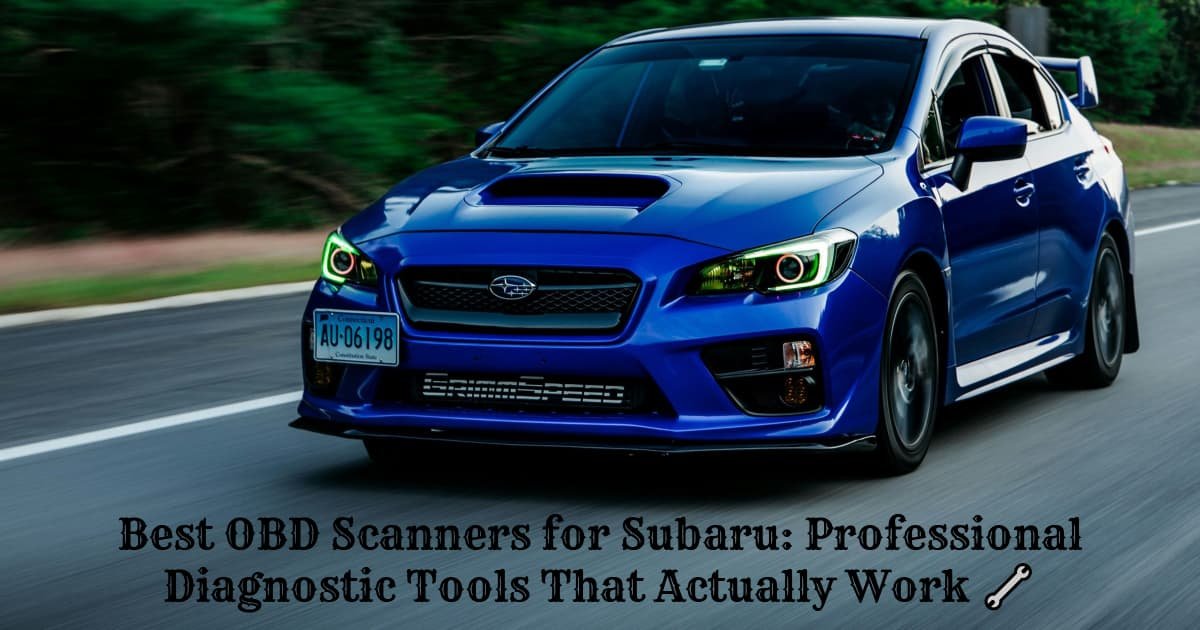
Skip the Mechanic Bills – Diagnose Your Subaru Like a Pro
Gone are the days when mysterious engine noises and blinking dashboard lights meant an expensive trip to the dealership. Modern Subaru vehicles are sophisticated computers on wheels, and with the right OBD scanner, you can peek under the hood of your car’s brain from your own driveway. Whether you’re dealing with a stubborn check engine light or want to monitor your vehicle’s performance in real-time, these diagnostic tools put professional-level insights right in your hands. 💡
Why Every Subaru Owner Needs an OBD Scanner
Modern Subaru vehicles come equipped with onboard diagnostic systems that constantly monitor everything from your Anti-lock Brake System (ABS) to your Supplemental Restraint System (SRS). When something goes wrong, these systems store diagnostic trouble codes that only an OBD scanner can read.
Unlike the old days of guessing engine problems by sound, today’s diagnostic approach is precise and data-driven. Your Subaru’s Engine Control Unit (ECU) and Transmission Control Unit (TCU) are constantly collecting performance data, waiting for you to access it.
The beauty of owning an OBD scanner isn’t just about saving money on diagnostic fees – it’s about understanding your vehicle’s health before small issues become expensive repairs. Many Subaru owners discover that regular diagnostic scans help them maintain optimal fuel economy and catch problems during their early stages.
Top Professional OBD Scanners for Subaru
iCarsoft i903 Multi-System Scanner
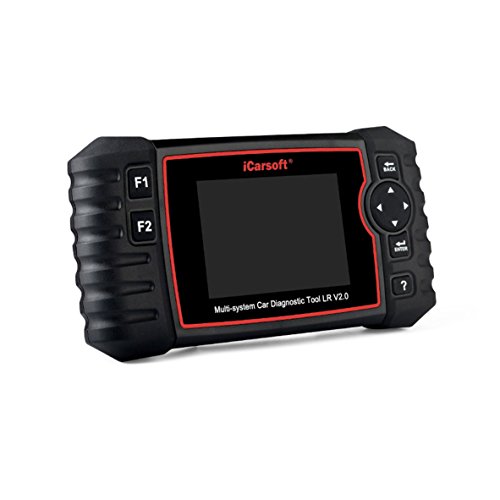
The iCarsoft i903 stands out as a professional-grade diagnostic tool specifically designed for complex vehicle systems. This scanner features a bright TFT color display and specialized diagnostic software that goes beyond generic code readers.
18/06/2026 5:10 pm
Key Features:
- Full system diagnostics for engine, transmission, ABS, and SRS
- Live data streaming and freeze frame capture
- Tire Pressure Monitoring System (TPMS) reset capability
- Lightweight design at just 1.1 pounds
- One-year manufacturer warranty
Best for: Serious DIY mechanics and professional technicians who need comprehensive system access beyond basic engine codes.
Limitations: The screen size could be larger for detailed data viewing, and it doesn’t cover every electrical subsystem in newer Subaru models.
Real owner feedback: “I’ve used this on my 2018 Outback for two years now. The TPMS reset feature alone paid for itself after one dealership visit. It caught a transmission issue early that saved me thousands.” – Mike R., verified purchase
ANCEL AD310 Classic Enhanced Universal OBD II Scanner
For Subaru owners seeking reliability without complexity, the ANCEL AD310 delivers straightforward diagnostics with professional accuracy. This handheld scanner connects directly to your vehicle’s OBD-II port and provides instant access to engine diagnostics.

18/06/2026 5:10 pm
Key Features:
- Quick code reading and clearing for all OBD-II compliant vehicles
- I/M Readiness Status for emissions testing
- Multilingual support (English, Spanish, French)
- Plug-and-play operation with no setup required
- Lifetime free software updates
Best for: Weekend mechanics and daily drivers who want reliable code reading without advanced features.
Limitations: Limited to basic engine diagnostics – won’t access ABS, SRS, or transmission-specific codes on most Subaru models.
Real owner feedback: “Perfect for my 2015 Legacy. Takes the guesswork out of check engine lights and helps me decide if I can wait for my regular maintenance or need immediate attention.” – Sarah K., verified purchase
BlueDriver Bluetooth Pro OBDII Scan Tool
The BlueDriver Bluetooth represents the modern approach to vehicle diagnostics, combining wireless connectivity with smartphone integration. This compact device transforms your mobile device into a professional diagnostic display.

20/06/2026 1:25 pm
Key Features:
- Wireless Bluetooth connectivity with iOS and Android
- Access to over 4 million verified fixes in the database
- Real-time data logging and graphing capabilities
- Comprehensive report generation and sharing
- Works with vehicles manufactured after 1996
Best for: Tech-savvy Subaru owners who prefer using their smartphones and want access to extensive repair databases.
Limitations: Requires a compatible smartphone or tablet to function – no standalone display option.
Real owner feedback: “The fix database is incredible. When my 2019 Forester threw a P0456 code, the app showed me exactly what other owners with the same issue discovered – loose gas cap. Saved a trip to the shop.” – David L., verified purchase
Essential Features to Consider
Ease of Use
The best OBD scanner is one you’ll actually use. Look for tools with intuitive button layouts and clear displays. Many modern scanners offer smartphone connectivity, which can make navigation more familiar for daily users.
Connection Options
Traditional corded connections provide reliable data transfer, while Bluetooth-enabled scanners offer convenience and mobility. Consider how you prefer to work – some mechanics like the tactile feel of physical buttons, while others prefer touchscreen interfaces.
Compatibility Requirements
Ensure your chosen scanner supports your Subaru’s model year and specific systems. While all OBD-II compliant vehicles (1996+) support basic engine diagnostics, advanced features like ABS and SRS require specialized compatibility.
Most professional scanners work seamlessly with Subaru’s diagnostic protocols, though some older models may require specific adapters or software updates.
Advanced Diagnostic Capabilities
Real-Time Data Monitoring
Professional OBD scanners excel at streaming live engine data while you drive. This feature proves invaluable for diagnosing intermittent issues that only appear under specific driving conditions.
Monitor critical parameters like:
- Oxygen sensor readings
- Fuel trim values
- Engine load percentages
- Coolant temperature fluctuations
Freeze Frame Data
When your Subaru’s ECU detects a problem, it captures a “snapshot” of all sensor readings at that moment. Quality scanners can retrieve this freeze frame data, helping you understand exactly what conditions triggered the diagnostic code.
Making the Right Investment
Choose an OBD scanner based on your technical comfort level and diagnostic needs. Basic code readers work well for occasional use, while professional-grade tools justify their cost through comprehensive system access and advanced features.
Remember that regular vehicle maintenance combined with diagnostic monitoring helps catch problems early, potentially saving thousands in major repairs.
The automotive diagnostic industry continues evolving, with newer scanners offering cloud-based updates and expanded vehicle coverage. Investing in a quality tool now ensures compatibility with future Subaru models and diagnostic protocols.
Getting Started With Your Scanner
Most OBD scanners connect to your Subaru’s diagnostic port located near the driver’s left knee. Simply plug in the device, turn on your ignition (engine off), and follow the scanner’s prompts.
For detailed troubleshooting techniques and advanced diagnostic procedures, many Subaru enthusiasts find valuable resources in online communities where experienced owners share their diagnostic experiences.
YouTube Resource: OBD2 Scanner Basics for Subaru Owners – A comprehensive walkthrough of using diagnostic tools on modern Subaru vehicles.
Whether you choose a basic code reader or professional diagnostic platform, having an OBD scanner in your toolkit transforms you from a passive vehicle owner into an informed automotive detective. Your Subaru’s sophisticated diagnostic systems are ready to tell their story – you just need the right tool to listen. 🚗
Related Posts
- Best OBD2 Scanners for Toyota: Professional Diagnostic Tools That Actually Work 🔧
- Best OBD2 Scanners for Jeep: Essential Diagnostic Tools for Off-Road Warriors 🔧
- The Complete Guide to Memory Savers: Preventing Radio Code Lockouts During Battery Service
- The Best OBD2 Scanner for Volkswagen
- Foxwell NT624 vs Autel MD802: Which OBD2 Scanner Delivers Better Value?